How Malaysia e-invoicing legacy POS can stay compliant without a costly replacement
If you run a small café or minimart in Malaysia, you’ve probably heard that e-invoicing is mandatory and assumed it means a new POS. Here’s the good news: in most cases, your legacy POS can support e‑Invoicing (MyInvois) without a rip‑and‑replace. The biggest benefit of keeping your current POS is lower total cost over time—no migration downtime, fewer retraining hours, and a simpler maintenance footprint.
This guide covers who needs to comply, why forced POS replacement backfires, and best-practice integration patterns for legacy systems—including a practical café example with no API, using a local data‑agent approach. Citations point to official LHDN/IRBM guidance so you can verify every step.
Who must comply—and what “compliance” actually means
LHDN mandates that taxpayers issue e‑Invoices through the MyInvois Portal (manual/batch) or programmatically via API. The rollout is phased by annual turnover, with earlier phases targeting larger businesses and full coverage planned across 2025–2026. Always confirm your timing using the latest IRBM guidelines. See the official references in IRBM’s e‑Invoice Guideline (v4.6) and the Specific Guideline (v4.6) under the reference for the implementation of e‑Invoice. For lifecycle specifics—submission, validation, UUID/QR—refer to the MyInvois SDK Submit Documents and document validation rules.
At a glance:
Portal path: manual entry or batch Excel (useful for legacy POS producing exports). IRBM’s portal pages outline batch limits and draft/final flows; see MyInvois portal information and FAQs.
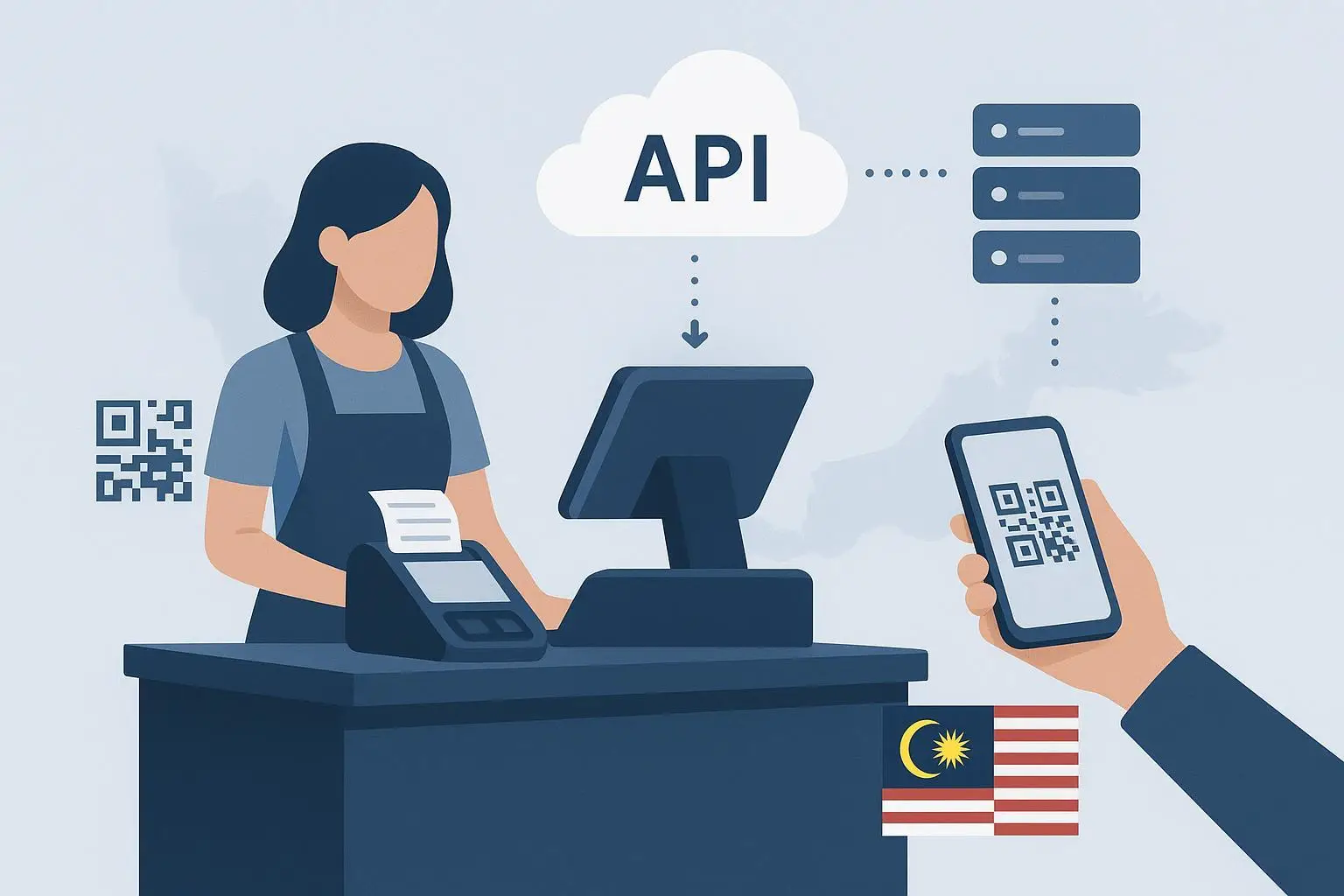
API path: submit structured XML/JSON to MyInvois; receive validation outcomes, a UUID, and QR link if valid, per the SDK.
For high‑frequency B2C (typical retail/café), consolidated e‑Invoices are allowed when the buyer doesn’t request an individual e‑Invoice. IRBM explains the timing—e.g., monthly consolidation must be issued within seven calendar days after month‑end; see the Specific Guideline (v4.6) and the Illustrative Guide for examples.
Bottom line: compliance means issuing through MyInvois (portal or API) according to the rules. It does not require replacing your POS.
Why replacing your POS is usually the wrong move
Swapping a working POS for the sake of e‑Invoicing often creates more risk than value for small shops:
Downtime and migration risk: shifting item catalogs, prices, tax codes, and loyalty balances can stall checkout and create reconciliation errors. IRBM mandates issuance via portal/API, not vendor‑specific POS versions; see their overview of the e‑Invoice model.
Vendor lock‑in and extra fees: many merchants report add‑on fees for “e‑Invoice modules,” with limited negotiating power once the swap is done (industry commentary varies—use caution, vet contracts).
Training and SOP churn: retraining cashiers erodes service speed, especially at peak times.
If you can bridge your legacy POS to MyInvois with an adapter, you keep the familiar checkout flow and shift most change to a background integration layer. That’s the practical path for most “Malaysia e‑invoicing legacy POS” scenarios.
Integration patterns for Malaysia e-invoicing legacy POS
Here are four common patterns. You can mix them—e.g., local data agent plus occasional portal batch.
Approach | Best for | Time to deploy | Downtime risk | Offline resilience | Notes |
|---|---|---|---|---|---|
MyInvois Portal (manual/batch) | Very small volumes or early-stage compliance | Short | Low | Works with local caching then later entry | Batch Excel draft→final; limits apply (see portal FAQ). |
Middleware via API | Moderate to high volumes | Weeks | Low–Medium | Queue/retry logic possible | Requires mapping and monitoring per SDK rules. |
Local data agent + portal/API | Legacy POS with no API | Days–weeks | Low | Strong (local queue) | Captures POS outputs (CSV/DB/print) and transforms to schema. |
Full POS replacement | Feature refresh, native e‑Invoice | Weeks–months | High | Varies | Not mandated by IRBM; assess migration and long‑term cost carefully. |
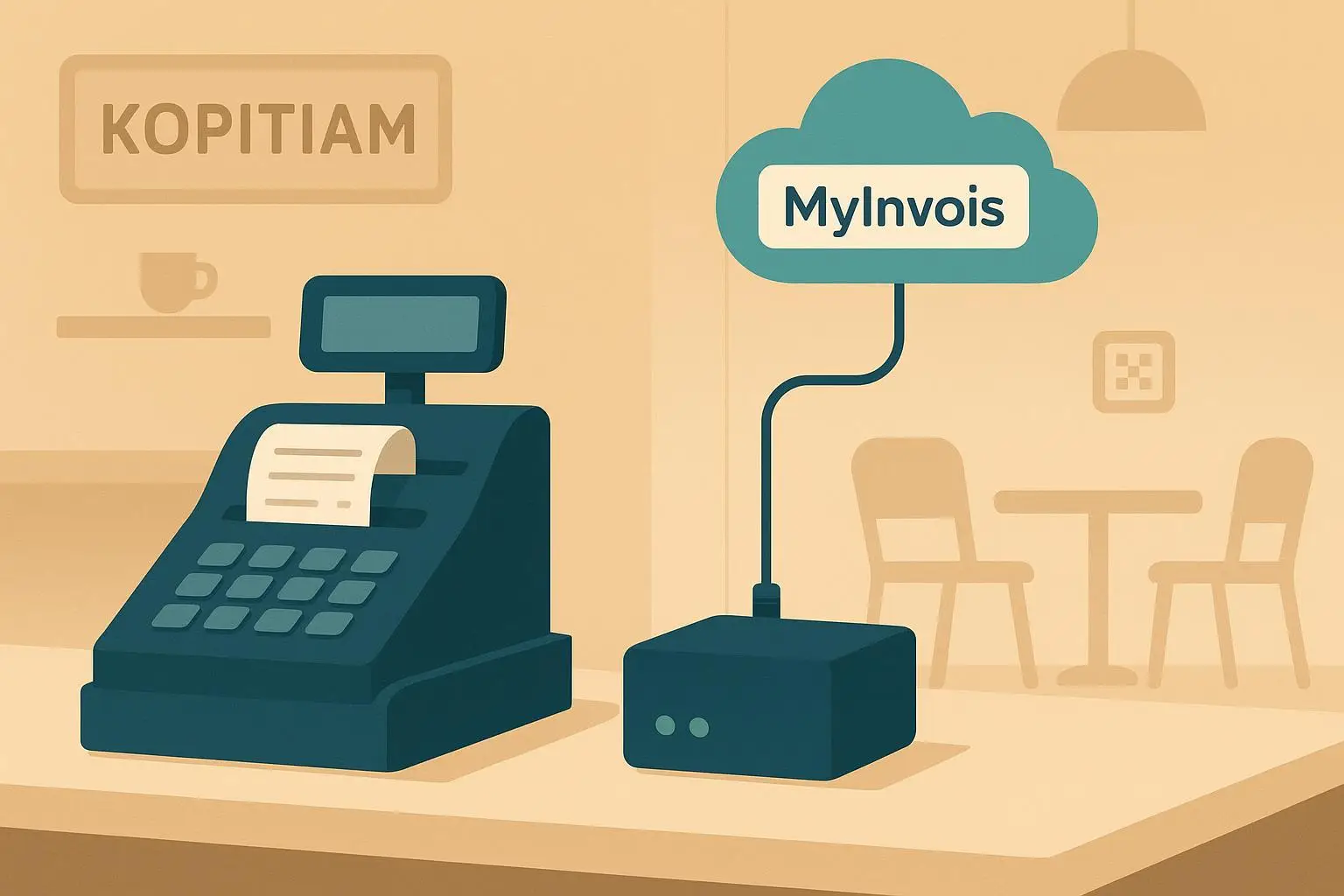
Think of the “local data agent” like a bilingual clerk sitting between your POS and MyInvois: it reads what your POS can already produce, translates it into MyInvois format, and hands it over by batch or API—without disturbing the checkout lane.
Running example: a café with no POS API (agent-based workflow)
Scenario: a single‑store café uses a legacy Windows POS that prints receipts and can export daily CSVs. The store wants compliance without touching the cashier UI.
Workflow:
Transaction capture: the local agent watches the POS’s receipt spool or export folder and picks up new sales records (EN: “receipt,” BM: resit, 中文: 小票).
Transform and validate: it maps fields to MyInvois schema and pre‑validates lengths/codes against SDK rules.
Submission: during the day, it prepares drafts for batch upload to the MyInvois Portal, or it queues lightweight API submissions in small batches.
Offline handling: if the internet drops, the agent caches locally and resumes submission when the line is back.
Consolidation: for walk‑in B2C buyers who didn’t request e‑Invoices, the café issues a monthly consolidated e‑Invoice within seven days after month‑end, referencing receipt summaries. If a corporate buyer requests one, the cashier flags it and the agent submits an individual e‑Invoice.
Neutral vendor example: Disclosure: AInvoiceX is our product. In similar café setups, an AInvoiceX data‑agent approach can capture receipt data from non‑API POS systems, queue documents during outages, and submit via portal batch or API without changing the cashier flow. See the AInvoiceX homepage for general capabilities; verify details against IRBM rules before deployment.
Mini field‑mapping table (legacy POS → MyInvois)
Use this as a starter reference and validate every constraint in the latest IRBM materials.
POS receipt field | MyInvois field | Practical notes |
|---|---|---|
Receipt number | Invoice/Document number | Keep unique within duplicate detection windows per SDK. |
Date/time | Issuance date/time | Align timezone; be consistent for later validations. |
Seller name, TIN | Supplier details | Ensure registered TIN and legal name match IRBM records. |
Buyer (B2C generic) | Buyer name | If the buyer requests e‑Invoice, capture their TIN/ID. |
Line items (desc/qty/price) | Item details | Map tax codes; respect length/format rules. See SDK validation. |
Tax totals, grand total | Tax/total fields | Recalculate to avoid rounding drift; watch file size limits. |
For deeper constraints (field lengths, code lists, totals, signatures), consult the IRBM e‑Invoice Guideline (v4.6) and MyInvois validation rules.
SOP: offline mode and end‑of‑day routines (one consolidated checklist)
Use this single checklist to keep queues moving and stay compliant.
Real‑time operations:
Serve normally; print receipts.
If a buyer requests an e‑Invoice, capture their TIN/ID and contact (BM: nombor cukai; 中文: 税号); tag the sale for individual issuance.
If the terminal shows “offline,” continue; let the local agent cache the transaction.
Daily reconciliation:
Review agent dashboard for Invalid submissions; fix data (field lengths, codes) and re‑submit.
Mark B2C sales without e‑Invoice requests for monthly consolidation later.
Check the retry queue; confirm portal/API submissions cleared after connectivity returns.
Month‑end (timing rule):
Issue the monthly consolidated e‑Invoice for B2C buyers who didn’t request individual e‑Invoices within seven days after month‑end, per IRBM’s Specific Guideline v4.6.
Verify totals match POS Z‑reports and accounting.
Corrections window (72‑hour rule):
If an e‑Invoice needs to be voided within 72 hours of validation, use cancellation.
After 72 hours, issue a credit/debit/refund note that references the original e‑Invoice. See MyInvois API: cancel document and IRBM materials.
Implementation checklist and testing plan
Pre‑launch (staging):
Confirm your compliance phase and whether you need individual vs consolidated workflows, using the IRBM guideline hub.
Inventory your POS outputs (CSV, DB access, print stream). Decide on portal batch vs API (or both).
Map fields using the mini table above; add buyer‑ID capture for request cases.
Set up a local agent or middleware; turn on queue/retry with backoff and duplicate protection.
Run sample submissions against SDK rules; verify Valid statuses and UUID/QR retrieval.
Go‑live:
Start with a quiet hour to monitor first submissions.
Train cashiers on “request e‑Invoice” flags and multilingual labels.
Enable alerts for Invalid statuses; fix and re‑submit quickly.
Post‑launch:
Reconcile daily: POS totals vs MyInvois Valid documents.
Document your 72‑hour cancellation SOP and credit/debit note flow.
Schedule the monthly consolidation task and a 3‑month SOP review to reduce errors.
Typical effort and cost (qualitative): a local data‑agent setup for a single store is usually days to a couple of weeks, with minimal or zero checkout downtime. POS replacement projects often span weeks to months and risk migration delays. Your exact numbers depend on vendor contracts and IT support.
FAQ and troubleshooting
Do I need to replace my POS to comply? No. IRBM requires issuance via MyInvois (portal or API), not a specific POS. See IRBM’s model overview.
What if the internet goes down? Keep cashiering. Use a local queue and submit when back online. Ensure your consolidation and request‑based individual e‑Invoices are still issued within the prescribed windows in the Specific Guideline v4.6.
How do I fix a mistake? Within 72 hours of validation, cancel; after that, issue a credit/debit/refund note referencing the original. See MyInvois API: cancel document and SDK FAQs.
Can I batch upload without coding? Yes. The portal supports batch Excel drafts and finalization. See the portal FAQs for templates and limits.
Resources and next steps
Official guidance: IRBM’s e‑Invoice Guideline (v4.6), Specific Guideline (v4.6), and guideline hub.
Technical details: MyInvois SDK – Submit Documents and Validation Rules.
Example vendor resource: AInvoiceX homepage for agent‑based integration concepts.
Prefer to keep your existing POS and add a compliant bridge instead? Explore an agent‑based setup and test it against IRBM’s SDK—your checkout never has to skip a beat.